Notice to all visitors and members of the Train-Sim.Com message forums: If you plan on using a signature banner in your posts, we would like to remind you that there is a maximum size for banners. That maximum is 450 pixels wide by 120 pixels high, and not to exceed 25k. Your compliance is appreciated. FORUM RULES Problems? There are two common reasons for problems with logging in and posting messages. The first is that you are running a firewall that prevents your messages from being sent to the server. The other is that you have cookies disabled; the DCForum software requires cookies to work properly.
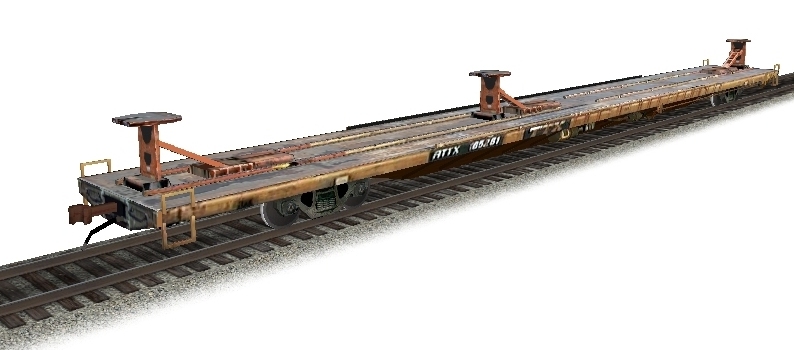
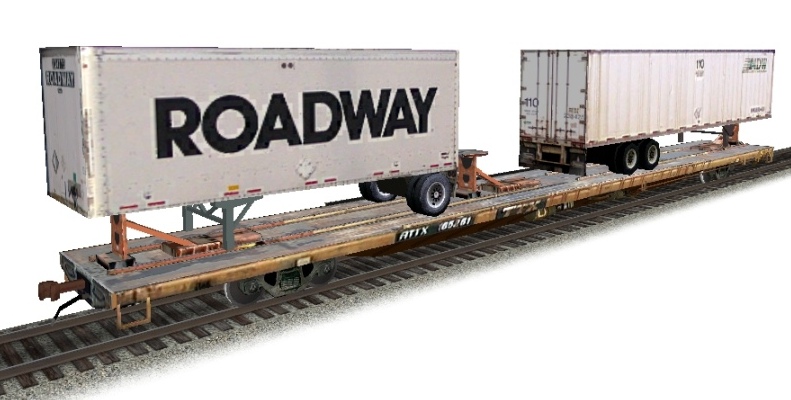
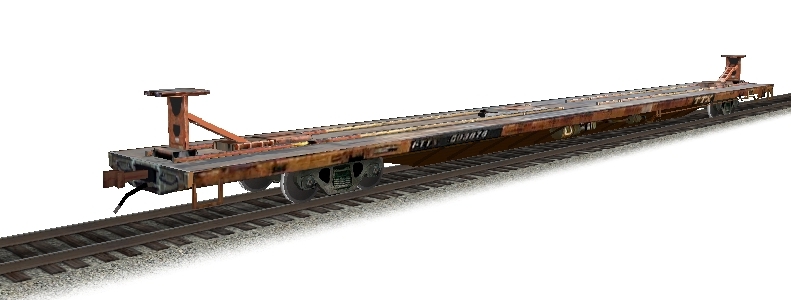
First of all, I'd like to complement Ted Curphey on his excellent model and texture work on the new RTTX 89' TOFC cars in the file library. However I've experienced a small problem installing them. All the needed textures seem to be present, but when I view the cars in MSTS Shape Viewer I get a whole lot of empties. The only one that has trailers is "RTTX1a_MDWRoadway", while the rest don't have trailers at all. I've tried downloading them a second time but I got the same thing.1) "RTTX1a_empty" empty as it should be 2) "RTTX1a_MDWRoadway" looking good 3) "RTTX2a_bnmdw" for example lacks trailersIf anyone has this same problem or knows how to fix it let me know, thanks. Or maybe I've missed something?:Matt:UP La Grande Sub (Phase I) Tracks: 80% Scenery: 0%
This is because he used freight animation tags for loading the trailers...as Chris says, just create a consist in ConBuilder or whatever and you'll see a larger selection of RTTX cars than just the 3 or however many shape files that were included.Austin
I thought I had the same problem when user shape viewer through conbuilder. I was making snapshot. I thought Ted may have made them using two shapes like so many do with there engines. So to get a loaded railcar I opened a second shape in shapeviwer and selected the right trailors to match the railcar selected.....take my snap shot. Make a consist and run train...all is well