Message Areas - "Mystery of waiting points revealed?"
Train-Sim.Com Message Areas
"Mystery of waiting points revealed?!"
Email this topic to a friend
Printer-friendly version of this topic
Bookmark this topic (Registered users only)
Previous Topic | Next Topic Conferences MSTS Activity Design (Protected) Original message
whistle (12 posts)
Nov-30-01, 08:34 PM (EST) "Mystery of waiting points revealed?!" Hi guys. Followed your discussion about waiting point. I was baffled too. Tried really everything. Then I learned how to make a screensaver out of an ITR activity. This brought me to the idea to search the traffic paths of these activities for waiting points. I found one in the Tokyo-Hakone ITR. So, I opened this path in the Activity Editor to check the waiting time and guess what? Zero! So I started thinking. Why did They put a waiting point in the ITR? It contains quite a lot of traffic. Could it be left as a remainder of the design process? And then I recalled the fact that AI trains in 2D simulation run much faster than the player´s consist. Using waiting points can help to synchronize AI traffic with there real timetables and they will be meaningless in the sim. Even more, they could mess up timetables in the sim. I´m just a beginner with MSTS, but I can also imagine that waiting points can help to fix your signals while creating your activity. Does this help you? It helps me for sure: I quit the quest. Alert Edit | Reply | Reply With Quote | Top
Table of Contents
Subject Author Message Date ID RE: Mystery of waiting points revea... lnghairedwizard Nov-30-01 1 RE: Mystery of waiting points revea... sniper297 Nov-30-01 2 RE: Mystery of waiting points revea... sniper297 Nov-30-01 4 RE: Mystery of waiting points revea... rgarber Nov-30-01 3 RE: Mystery of waiting points revea... sniper297 Nov-30-01 5 RE: Mystery of waiting points revea... rgarber Dec-01-01 6 RE: Mystery of waiting points revea... sniper297 Dec-01-01 7 RE: Mystery of waiting points revea... rgarber Dec-02-01 8 RE: Mystery of waiting points revea... whistle Dec-03-01 9 RE: Mystery of waiting points revea... rgarber Dec-03-01 10 RE: Mystery of waiting points revea... whistle Dec-04-01 11 RE: Mystery of waiting points revea... bobs Dec-13-01 12 RE: Mystery of waiting points revea... rgarber Dec-13-01 13 RE: Mystery of waiting points revea... bobs Dec-14-01 14 RE: Mystery of waiting points revea... rgarber Dec-14-01 15 RE: Mystery of waiting points revea... Survivor Dec-17-01 16
Lobby | Topics | Previous Topic | Next Topic
Messages in this topic
lnghairedwizard (399 posts)
Nov-30-01, 09:05 PM (EST) 1. "RE: Mystery of waiting points revealed?!" I have found that waiting points will stop a AI train but will not get it to wait for a designated time like in the editor. but since the AI train will slow down and stop for a moment, they are handy for synchonizing AI trains and to emulate the stop-go-stop-go movements of trains in and around yards and sidings.Longhairedwizard Remove | Alert Edit | Reply | Reply With Quote | Top
sniper297 (1083 posts)
Nov-30-01, 09:13 PM (EST) 2. "RE: Mystery of waiting points revealed?!" I'm gonna have to hunt for that thread, I just started using waiting points, and discovered they're just as touchy as a lot of other things - remove or add just one, get a broken path, gotta remove the start point and do the whole path over again.
I've been trying to add signals for AI traffic for version 5 of the PO&N, here's a few things I found out (I THINK, you can never be sure!)When an AI train is spawned, the AI dispatcher likes to set all the switches for it's path at the moment of spawning. If the player is caught on a single track section at that moment, too bad. Checking the "player drivable path" box on fixes this, but even if the AI train is 7 passing sidings away still, the player is stuck at the next doubletrack section until the AI passes. Adding wait points for AI seems to cure that, the dispatcher sets the switches so many interlockings ahead of the AI, and altho I still haven't figured out how many, it at least lets you go if the AI train is still 10 minutes behind or ahead of you. I'm only using a 30 second wait in a couple of places, so it don't slow down the AI train that much. The speed settings are hard to figure out, set it for 3 mph or leave it at zero the traffic train seems to move too fast anyway. And 1 GP38 with 17 cars goes a lot faster than 2 GP38s with 35 cars, even uphill, so it depends on the consist.
Oh yeah, here's my theory on the strange behavior of AI trains: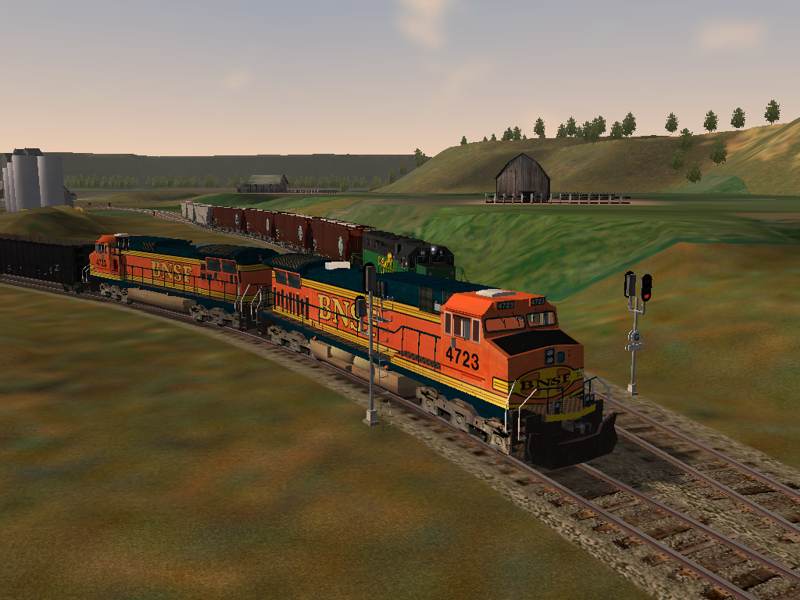
There's nobody in the cab!!! Runaway train!!!! Remove | Alert Edit | Reply | Reply With Quote | Top
sniper297 (1083 posts)
Nov-30-01, 10:58 PM (EST) 4. "RE: Mystery of waiting points revealed?!"
Obviously still needs work tho. The worst trouble I'm having is switching back and forth from the route editor to the activity editor, is this thing screwing up because I have the signals configured wrong, or am I doing something wrong with the activity? Explore route don't help, the signals work differently and there's no AI traffic or automatic switch changes. In the activity, the AI dispatcher will wait for you to clear the switch
(again, if player drivable path is checked) before he sets it for the AI train - unless you uncouple and leave a cut of cars fouling the switch, in which case he sets the switch anyway.
 The way I have everything set up currently the AI train won't come along and rear end the cut of cars, so I'm guessing that it's signal is still red. No way to know, the VCR will show two AI trains running thru each other like phantoms, in the sim they either stop or crash. Need some kind of roving God's eye view in the game to troubleshoot these things so we can see what the signals and AI trains are doing a mile down the track. Oh well, back to the drawing board. Remove | Alert Edit | Reply | Reply With Quote | Top
rgarber (849 posts)
Nov-30-01, 10:36 PM (EST) 3. "RE: Mystery of waiting points revealed?!" Hmmmm.... I dunno. We've discussed waiting points here before and the best we have found out is they don't work right. The problem with the wait point setting is even though it catalogs the wait point as an 8 I believe, even if you manually insert the amount of wait, this at best delays the train a second if that. Soo whistle's observation of the 0 is correct but this is a bug in the program. In fact, if you read the tech doc it says waiting points will be set to 0. Well the problem the waiting point is set to 0 is because it doesn't work.Jim, uhhh.. no. That's incorrect. At least it's incorrect in the way things are supposed to work. However, in the world of MSTS we all have to concede anything is possible and maybe you have found a workaround. The use of the Player driveable path is so you can allow the player to drive a path created for the AI train. If you don't, that path won't show in the Player driveable paths. Is there an echo in here? It maybe that there's some squirrely stuff going on with the AI.For all folks, I would recommend, AND I REALLY HATE TO DO THIS... but it keeps coming up all of a sudden.. is I put my observations on the squirreliness of AI Trains down in that bloody activity tutorial I wrote for Abacus. This will really help in understanding why things go wrong. There were some other things I would have liked to included but I can't prove these things with the limited 'test' subjects I have (my route). Because of the route's simplicity there's alot you can learn about AI trains with the thing.IMORich Garber Remove | Alert Edit | Reply | Reply With Quote | Top
sniper297 (1083 posts)
Nov-30-01, 11:37 PM (EST) 5. "RE: Mystery of waiting points revealed?!" Hey, we're posting at the same time here! Well, as you can see by #4 on my #8 above your #3 (your #3 being based on your experience with your #11 which is really #10 and do you think I'm ever gonna let you hear the end of that?) there are flaws in it, a klugey work around which seems to do what I want it to do, except, of course, when it doesn't. In the above instance the AI dispatcher detects the presence of the player train and holds the resetting of the switch, but the minute you uncouple it detects that the new back of the player train is clear, so it resets it under the uncoupled string of cars. Guess I'm gonna have to go back to the route editor and relay the track so that the longest consist will be clear of the diverging point when the lead engine stops at the helper shed. I know you're still scratching your head over what I'm doing, Rich, but the idea is still open-ended activities. A lot harder to make AI traffic for, obviously, because I'm trying to anticipate what the player might do instead of controlling what he will do, which makes it more difficult to weed out potentials for conflict. There is a player path, since there has to be one, but it's not really a path; Just long enough to fit the longest consist that might be used in explore route mode.
That's because I found that if the player path goes thru a certain set of points, an AI train that spawns after the player start will wait for the player to actually travel that path before proceeding. I'm taking advantage of a quirk of automatic switches here, regardless whether the player path goes thru a switch or not, the switch defaults to straight ahead whenever there is no current active path thru it. So the player's route is always straight ahead, the AI path is always set up to "take other exit", and every yard and switching area is set up with an automatic switch at each end, the diverging path having a passing siding or bypass route coming off the curves and going around it.
This is the AI train path, carried around the area with all the manual switches, which (as I'm sure you know) the AI dispatcher will set, but they are set once at the moment the AI train spawns and the path is set up for it, and if the player changes the manual switch after it's set but before the AI train passes it, stalemate city. I mention it because there's been some discussion on the use of manual switches, their biggest flaw being that the AI dispatcher won't do anything to reset them after an AI train is stopped by one the player set against it, and of course a facing point manual set the wrong way sends the AI train off his path into Total Anarchy Junction. He'll forget the path, go wherever the switches take him until he either runs into a dead end, another train, or a switch set against him. Look at the pic in post #4 again, there's nobody in the cab driving the train!
Anyway, it's coming along sort of, I'll email you a beta if you're interested in looking at it. Far from perfecto at the moment. Remove | Alert Edit | Reply | Reply With Quote | Top
rgarber (849 posts)
Dec-01-01, 00:11 AM (EST) 6. "RE: Mystery of waiting points revealed?!" Jim, I don't have your route installed but I can put it back on no problem. I can't make out the map you are showing up there but I see two potential problems. Now I'm going to concede that with the way you are using the interval signals, I have no idea whether this is still a problem or not so I'm gonna approach this as if you used interlocking signals. And I'm gonna just screw the book deal on this one. The first thing, is that player path is really short. So this I take it is what you mean by 'open ended activity,' right? So what I am guessing you are trying to do is choreograph the player to wind up waiting til the AI Train goes through the switch? Okay, if I'm assuming correctly... then you got a problem. I'm seeing just two signals before the player train from the AI train's point of view. Actually I see more green dots than I ever thought I could. Now, Joe the dispatcher won't like this. I don't think your interval signals are gonna count on this one either. In fact it's a wonder you don't have a stalemate further down the line. But anyway, those are not enough signals for Joe the dispatcher to work. There's what I call the three signal rule. Before you and the AI train can have your meet, each has got to see three signals between them. If not, your bucking for a E1 all over again. You'll either get a stalemate or a wreck.Okay, I know what you're saying. You're saying, 'but Ritchie Rich..., the player path is real short, the AI train will be the dominant gene and the signal will turn blue for the player before it ever allows the player to begin again,' right? Well, that's right. But you got the problem of the player sitting there who doesn't know why. So he's gonna hit that tab key, and if that AI train hasn't reached that block yet, it's gonna allow him to pass that signal. And as soon as the AI train comes into that area, since it has a path, it's gonna throw that switch. (at least that's what I believe should happen). So it all gets down to timing all over again because of the player. You don't know what he's gonna do.What you could do is place a location event that tells the player to hold at the signal (no matter what) until the AI train passes on through. Or what you could do, is note the time the AI train passes that signal, and if the player breaches the signal before that time, shut the activity down.Does this help?Rich Garber Remove | Alert Edit | Reply | Reply With Quote | Top
sniper297 (1083 posts)
Dec-01-01, 11:56 PM (EST) 7. "RE: Mystery of waiting points revealed?!" Hmmm. Well, forget the waiting points. They were necessary yesterday, but after changing the trackplan a little I wrote a new activity without the waiting points, and now instead of setting the whole path for the AI train at the moment of spawning, it only sets so many switches or so many miles or so many interlockings ahead of the AI train, even without wait points. Be nice to know which, all the tutorials are nice, but they're largely based on trial and error with a hefty dose of guesswork. I changed the linking on some of the interlocking signals, and Mercury, which was in Scorpio yesterday, crossed over the cusp and it's in Saggitarius today. Either one is a good possible cause of the different behavior of the AI dispatcher. The Moon is approaching opposition to Saturn in Gemini, that could make the activity work differently tommorrow.
Seriously, I wish someone at MS would actually put together a manual on this thing, I think most of us would pay money for something that explained how all this actually works. Half the time I'm having problems I don't know whether to post in route design or activity design, since each affects the other, the signals work differently for the same configuration depending on how the activity is written, linked interlockings do not work the way they are supposed to unless; (A) you're in explore route mode, or (B) there is a path through the switch...one way only, try to return through the same interlocked switch and it won't work the second time.
Which brings me to you, Rich. No, don't bother reinstalling PO&N4, it don't have any signals on it, this is the working copy of the next version I'm fighting right now. 'Open ended activity,' means there is no set goal to it, no fixed schedule, work order, or destination. The idea is to have an activity, with a starting point, loose consists, helpers in sheds, and do something different with it every time you play it. I don't want to choreograph the player to do anything at all, the idea is if he takes 30 minutes instead of 5 to switch some cars, the AI train is not going to wait for him; track's clear, go. Depending on what order he does things in, and how fast or slow he does them, he's going to meet, overtake, be overtaken by; the same/different trains at different passing points. I'm starting in Johnsburg yard, there are 33 cars in the yard, I'm going to assemble them into a train, haul them up thru 77 to Newcastle, (stopping to pick up helpers on the South Pass), drop off the train in Newcastle, pick up some cars there and come back down. The next time I play the EXACT SAME ACTIVITY I've got a different work order made up, I'm going to pick up only the hoppers in the yard and go the opposite direction, dropping them off at the Grain Elevators, running down to the refinery, and picking up a string of tankers going to Stevens Point. Replayability is what I'm looking for, you can do all that with the PO&N4 activities, follow the 2 or 3 different work orders I wrote for each activity in PO&N4, or writing new ones or variations of the ones I wrote. The only difference with 5 is going to be the inclusion of AI traffic, and altho I'm making progress, there are still a few snags in doing it that way. Yeah, if I'm highballing toward a clear signal for a converging point, and the AI dispatcher picks that exact moment I'm passing the signal to change the switch, I'm now stuck on the AI path and there's no escape route and no going back.
The goal is, the AI train does not have to wait for the player train to pass unless the player train is already on the next converging single track, the player does not have to wait for the AI train to pass unless it's either a few minutes out or already on the single track, one train behind or ahead of schedule will cause others to be delayed, but won't stop the whole game with a stalemate situation. The AI trains continue to do what they do without paying any attention to what the player is doing unless there's a potential conflict, then the signals clear and everybody goes when there is no longer a conflict. The good news is I'm almost there, I'm not screaming for help on this because I know I'm navigating uncharted and unexplored waters. I'm just trying to keep everyone updated on the soundings I'm getting in case anyone wants to follow. And yeah, venting frustration sometimes, the whole thing would be so simple if the blasted signals would not show stop indications when there is no conceivable reason why they should be red. Remove | Alert Edit | Reply | Reply With Quote | Top
rgarber (849 posts)
Dec-02-01, 01:14 AM (EST) 8. "RE: Mystery of waiting points revealed?!" I've covered some of this stuff in that activity tutorial I wrote for abacus. There's certain things, if I see them, I know exactly where to look and what's doing it. I'm just coming now to see a pattern with reversing points. I don't understand why though. But in a couple of instances for some reason, if you got a reversing point beyond a signal, the signal before the reversing point is red, no matter what. Now I asked Rich Foley who works with CP if this was prototypical. And he said.. 'Don't bother me kid!' Well not really, he said it wasn't. Normally, when the AI sees an end of path coming, you get a yellow. But with a reversing point, you get a red. So you ask permission, and you go on through. Then reverse direction, and pending the condition of the track in front of you, you got a green. Then... suppose you got a switching assignment for the player like I do up in Lutherlex and later his path takes him onto the mainline after he's done with his switching. Everytime you reverse while switching, the nearest thing I can figure is it says to the AI, opposing path... no, there isn't an opposing path.. an opposing path.. And then there's the whole priority thing. That seems to be okay as long as you remember the 3 signal rule. But, if the player train reverses, its like starting all over again and well... too much for the brain this late at night!From a programing point of view, what I don't get is why a train is or is not in a block taking precedint over the path. This really baffles me. Either there is a bug or there is some reason why Kuju avoided the obvious. It's got to have something to do with the flashing yellow, solid yellow, red progression. That and the activity developer can throw a train in at any time in the activity at any point. Something must have went awry late in the development of msts that they gave so much emphasis on the path over the signal. Figure this out, and we may get the AI trains running right.Rich Garber Remove | Alert Edit | Reply | Reply With Quote | Top
whistle (12 posts)
Dec-03-01, 05:19 PM (EST) 9. "RE: Mystery of waiting points revealed?!" He Rich, I got an idea. If I remember well, there is a reverse point with a signal at the Hiatsu Line which behaves differently in Explore Route and in the Sinshei activity. In Explore Route I was faced with red and in Sinshei with green. I studied the Sinshei activity earlier and I think there is a waiting point near the reverse point. Could that keep signals at green? I´m really not sure at the moment I should check it (or you can). Remove | Alert Edit | Reply | Reply With Quote | Top
rgarber (849 posts)
Dec-03-01, 08:25 PM (EST) 10. "RE: Mystery of waiting points revealed?!" *scratching head.. and not because of dandruff* Geee, I dunno. Your asking if a waiting point is holding a signal green? What for?To tell you the truth, I wouldn't even know where to find the town you just named. I rarely run the default routes. Shoot! I rarely ever get to run the sim!! Most of the time I'm in the route editor or activity editor or, writing some tutorial!Rich Garber Remove | Alert Edit | Reply | Reply With Quote | Top
whistle (12 posts)
Dec-04-01, 05:32 PM (EST) 11. "RE: Mystery of waiting points revealed?!" Sorry, I was wrong: there are waiting points in the Shinpei activity, but only at so called Scenic stops, not at reverse points. This discovery brought me to a "final theory of waiting points". I also discovered some things about the other features of the Path Editor. I will post a seperate message with my findings. See you there. Remove | Alert Edit | Reply | Reply With Quote | Top
bobs (268 posts)
Dec-13-01, 02:24 PM (EST) 12. "RE: Mystery of waiting points revealed?!" LAST EDITED ON Dec-13-01 AT 02:25 PM (EST)In all the work I've done on the Marias Pass routes, I've never ventured over to this portion of the forum. Now, I'm testing out existing activities for MP3.0, both to test the signals and route, and to learn more about the activities.One thing I discovered in doing this deals with the number of signals/blocks that are checked before the AI does its thing. In the signal configuration file, for each head there is this parameter:
SignalNumClearAhead ( n )
In the MSTS default 3 color signals, n is set to no more than 4. On a little test route I built, I was having trouble with unintended meets and decided to change this parameter to see what happened. I set it to 6.Now, I'm still not 100% sure what this parameter is supposed to do, but it does seem to control how far ahead the AI looks in determining which train will get the go ahead. Setting it to 6 solved my problem. In the searchlight signals developed for MP3.0, I left them all set to 6 and it seems to have improved the AI movement a lot. There are a couple of activities I've had trouble with (of those built well to start with ) so I probably don't have things totally correct yet, but it is a lot closer.This parameter is easy to change if you want to see its effect on your route. It is located at the end of each SignalType entry in the sigcfg.scr file in the route's root directory. You can change it without messing up placement of your signals.
Remove | Alert Edit | Reply | Reply With Quote | Top
rgarber (849 posts)
Dec-13-01, 03:03 PM (EST) 13. "RE: Mystery of waiting points revealed?!" Aha! Confirmation of the three signal rule! This is what I've been saying all along. Now... bear with me on this... this is what I think screws up alot of people. The three signal rule acts like a radar for both player and AI trains. Just like a F-16 it's searching forward. Now... take my #18 LutherHaul activity where the player.. you do all know about my #18 Lutherhaul activity don't you???? *glaring look* Anyway.. so take my #18 LutherHaul activity for instance. I believe what happens in that activity, is while the player is reversing back n' forth... this is like an on-off toggle to the approaching AI train. While you are going forward, the AI train sees you. Reverse to pick up some more cars, the AI train no longer sees you. SOOOOooOOOOO, and this is what probably messes up old Snipper dude and what's the chance of him ever reading this right??? Well, the three signal rule means, you meet the criteria, I'll work for you. So, let's say your down there in the coal pit and you lollygag (learned this from some of you UK people.. am I starting to ramble a bit more like Sniper you think??) Anyway, so while you do your switching chores down in Lutherlex and you take a bit longer than you should... if that AI train gets within... note the WITHIN.. the three signals... you've now violated the three signal rule, ok? And what happens next, either a stalemate or a collision. So there ya go. This is why I think alot of folks don't get AI Trains and signals. First, they don't take into account the three signal rule. Second, they don't take into account that violation of the three signal rule disrupts ole dispatcher joe and he just can't handle it no more. Third, you have to take into account if the player reverses within the three signals. If so, erratic behavior.I wonder if resetting that setting to 1 would help Jim's situation? Would that force a red/green situation only??Rich Garber Remove | Alert Edit | Reply | Reply With Quote | Top
bobs (268 posts)
Dec-14-01, 04:25 PM (EST) 14. "RE: Mystery of waiting points revealed?!" Funny, but I ran into something interesting related to this in last night's testing.I was running an activity out of Cutbank going west to Glacier Park. There is work to do at Meriwether. That siding is only accessable from track #2, so that's where I was, going against traffic. As I got to Meriwether, I was surprised to see an oncoming train sitting at the west end of Meriwether siding, on the main.I was surprised because the signal there is permissive, so there is nothing to stop this guy from coming ahead and running into me. (This is on MP3, BTW, so the signals probably don't match anything you have seen yet). It seems the AI had routed me into the Meriwether siding and back out again. The AI train stopped because the switch was against him, even though my train couldn't go anywhere with him in the way.While doing the switching on this siding, I first pulled all the way up to the end, then backed up. As soon as I backed up, the AI closed the switch in front of me, and the AI train took off. When I went forward again later, the switch was thrown again and I had a green.This signal is permissive because it doesn't protect the siding, it just happens to be at one end of it.Now, how did this AI train get there in the first place? I believe it came into existence on the Meriwether side of the last absolute signal. I have to check the path to be sure. If it had come into existence on the other side, it should have seen a red because my train was ahead of it. That this train stopped for the open switch is amazing, but allowed me to finish the activity without problem. But I think it is more by accident that I finished than by design.Another one I ran into the other day...an activity spawns an AI train such that when it appears, it fouls the crossover east of Columbia Falls. As such, the signal code doesn't see it. I'm approaching from the west on a diverging clear, expecting to use that crossover to get to the CF yard. To my surprise, as I come around the turn by the Kalispell wye, there is this train coming over the switch supposedly thrown and clear for me! He's going through like the switch is normal and he has a clear. Again, I got lucky and was able to slow down enough so that he cleared the switch before I hit him, but this Ai train was started too close to a possible meet to be useful.Rich, I think you are right. Much of the trouble with activities stems from misunderstandings about the signals and paths etc. Too bad we don't have any documentation that explains what we really have to know. This trial and error method of determining how things work get old after a little while! Remove | Alert Edit | Reply | Reply With Quote | Top
rgarber (849 posts)
Dec-14-01, 07:41 PM (EST) 15. "RE: Mystery of waiting points revealed?!" What helps alot for me is I created the route, so I know what switches are where. Alot of times I can tell what's going wrong just by the cackling noise I hear going on at the PO&N side of town.. no wait.. wrong thread.. I mean.. I can tell what's wrong by knowing what consists I placed, what train is doing what and what switch is where. It makes a big difference because you start too see patterns. What worries me is with this new route I'm working on, what if the patterns suggest something different? Then it would be time to throw in the towel. But so far what I've seen seems to be the same as other people describe. There are a couple of situations that do throw me still. I'm almost completely convinced now there is no magic formula to successful and easy management of AI trains, except for the other thread here where the guy talks about changing something in the signal script to where you can.. oh wait... that's this thread! ... to where you can change the number of signals the AI and player train look at to 1.Rich Garber Remove | Alert Edit | Reply | Reply With Quote | Top
Survivor (8 posts)
Dec-17-01, 06:16 PM (EST) 16. "RE: Mystery of waiting points revealed?!" Well I finally built my 1st of many activities over the weekend (Night bridge route for EMRR), and in the process I found something very usefull.I believe the waiting points are designed to assist the activity creation, or at least it can be used to so. At the begining of the activity I had a mainline train that was required to do some switching in the interchange. In order to try and set up the time correctly for a meet, I put in a waiting point on MY PATH. That basically gave my train enough time to switch before it proceeded onward. As it turns out my meet became a reality as planned.The only thing I'm trying to figure out now is does the activity creation dictate dispatching, or the events that take place once an activity is underway. From my first look I would say the prior. I forgot to add an endactivity action so the only way to end the activty is to drive in the fake tunnel at the south end, but that's o.k. isn't it??? Remove | Alert Edit | Reply | Reply With Quote | Top
Lock | Archive | Remove
Lobby | Topics | Previous Topic | Next Topic
Restored from the Train-Sim.Com archive, captured March 17, 2002. About this archive.