
Can anybody offer me some advice on how to do a yard ladder coming off the backside of a 20d curve then run the yard along an extremely curvy path? I am having a problem getting the tracks aligned tightly to the main. My north lead also comes out on the main not right on a curve but on the inside fairly close to the curve. Currently construction is halted for the week due to school and what not but I am stopped at the south lead to the ladder. Oh and I'm using Xtracks 3.3 if that helps anybody with any advice. Thank you!
EIN
Printer-friendly page | Edit | Reply | Reply With Quote | Top
RE: Xtracks yard with curves, calr, Sep-30-02, 00:37 AM, (1) RE: Xtracks yard with curves, SouthernCpl, Sep-30-02, 03:27 AM, (2) RE: Xtracks yard with curves, SouthernCpl, Sep-30-02, 03:40 AM, (3) RE: Xtracks yard with curves, davidbeach, Sep-30-02, 03:52 PM, (8) RE: Xtracks yard with curves, OkrasaGhia, Sep-30-02, 05:37 AM, (4) RE: Xtracks yard with curves, jleslie, Sep-30-02, 09:38 AM, (5) RE: Xtracks yard with curves, calr, Sep-30-02, 11:45 AM, (6) RE: Xtracks yard with curves, LawrenceKellie, Sep-30-02, 12:56 PM, (7) RE: Xtracks yard with curves, OkrasaGhia, Oct-01-02, 11:20 AM, (9) RE: Xtracks yard with curves, bwaterman, Oct-01-02, 02:59 PM, (10) RE: Xtracks yard with curves, davidbeach, Oct-01-02, 03:42 PM, (11) RE: Xtracks yard with curves, SouthernCpl, Oct-01-02, 10:09 PM, (12)
Conferences | Topics | Previous Topic | Next Topic

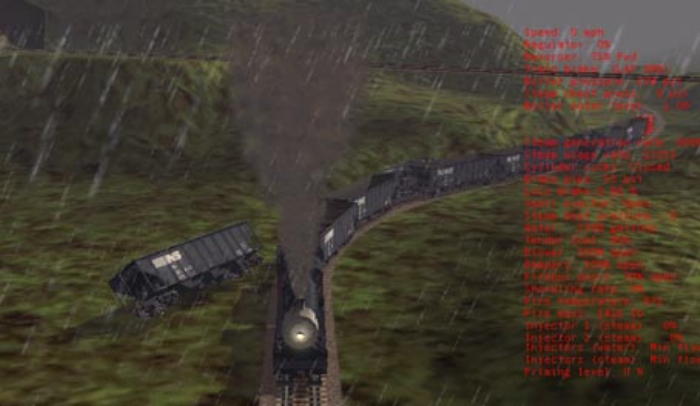


 This next yard is actually not made with modular switches, it was made before they came out, although I do use the scissorpnt10d switches here which still requires Xtracks. I had to use dynamic track quite a bit here to get the spacing right. The highlighted piece is an A4t1000r10d. The yard makes a 15 degree bend.
  Here is a yard on a curve that makes a 90 degree turn. It also uses the scissor switches, and all dynamic for the curve because the radius is non-standard which means no multi-track pieces. All you have to do is get one track where you want it, then put any multi-track piece at the end (I use A4t10mstrght) to use as a "gauge" to give you the spacing you need to line up the next 3 dynamic pieces. Then you can keep staggering the multi piece for as many tracks as you like.
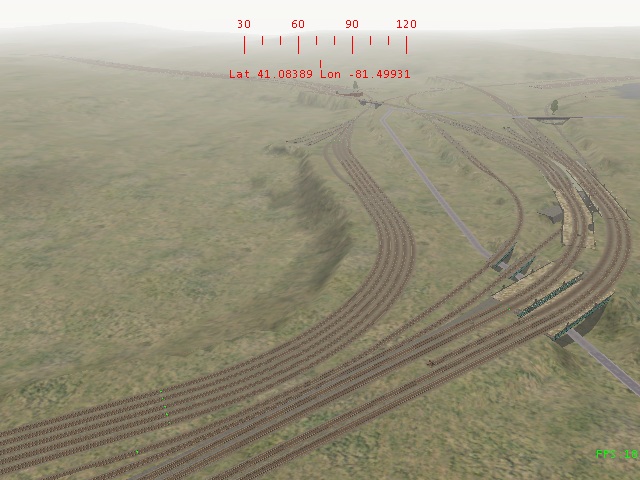 This last one is my pride and joy, and is a perfect example (if I may say so myself... ) of what I just said in the last caption. There are 30 tracks in this yard, although only the first 27 are correctly spaced. The interesting thing to note here is that the curves on all 27 tracks are 150m radius. Don't ask me how it ended up that way with the same diameter track at the curve. Again, I use the scissor points and lots of dynamic track here. I actually use the curve here to set the track spacing with the dynamic track AFTER the curve, or at the far end of the curve.
  With Xtracks you can pretty much make anything you want now. I can do a step-by-step screenshot if you would like to show how to make a ladder using Xtracks.Jeff Leslie