Notice to all visitors and members of the Train-Sim.Com message forums: If you plan on using a signature banner in your posts, we would like to remind you that there is a maximum size for banners. That maximum is 450 pixels wide by 120 pixels high, and not to exceed 25k. Your compliance is appreciated. FORUM RULES Problems? There are two common reasons for problems with logging in and posting messages. The first is that you are running a firewall that prevents your messages from being sent to the server. The other is that you have cookies disabled; the DCForum software requires cookies to work properly.
I found that if I do the normal Prt Scr, and have PSP open, I can go to it,just hit Ctrl V and it is in my image editor. Only 1 shot at a time, but quicker than navigating to the trainsim folder. In RE, this gives you the full screen, rather than just the main window. In my other paint program, by Micrografx, I have to have a new image open, then hit Ctrl V and paste it into that.I imagine some of you already know this, but for the rest, it is real handy, especially if you are trying to illustrate how to do something.Here's a somewhat cropped example.
Hee-hee, I cheat- 768 megs of DDR RAM! I also use that trick when I'm gonna use just one shot, and there's another neat little trick for resizing. I take the first shot, edit, copy, and resize to 800x600. Now I got an 800x600 "template" (max useful size for screenshots on the web, not everyone has a 21" monitor), and I edit, paste, as new selection, move the image around to crop the edges. That gives me the original 1024x768 pixel resolution in a 800x600 window, and you can move it up/down/left/right to center the area of interest and crop out the dull stuff at the edges.

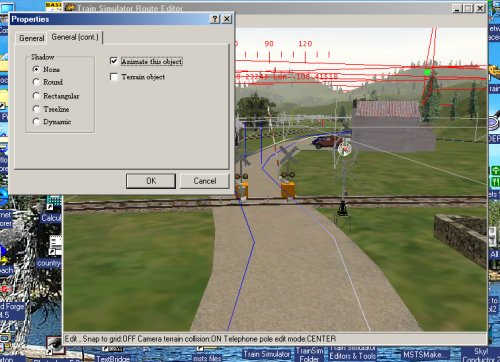 Here's a somewhat cropped example.

