Train-Sim.Com
MSTS Route Design

Speed sign

Notice to all visitors and members of the Train-Sim.Com message forums:
If you plan on using a signature banner in your posts, we would like to remind you that there is a maximum size for banners. That maximum is 450 pixels wide by 120 pixels high, and not to exceed 25k. Your compliance is appreciated. FORUM RULES Problems? There are two common reasons for problems with logging in and posting messages. The first is that you are running a firewall that prevents your messages from being sent to the server. The other is that you have cookies disabled; the DCForum software requires cookies to work properly.

Previous Topic | Next Topic

Printer-friendly copy Email this topic to a friend

Reading Topic #12708

Member since Aug-29-03 · 46 posts

I'm making CN speed limits sign and I want to know how to add 2 speed limits on one speed sign.

Alert | IP

Printer-friendly page | Edit | Reply | Reply With Quote | Top

RE: speed sign, stcoeur, Nov-15-04, 01:50 AM, (1) RE: speed sign, Swissie, Nov-15-04, 05:27 AM, (2) RE: speed sign, stcoeur, Nov-15-04, 05:24 PM, (3) RE: speed sign, Swissie, Nov-16-04, 11:33 AM, (4) RE: speed sign, The_Genesis_Man, Nov-16-04, 03:56 PM, (5) RE: speed sign, stcoeur, Nov-16-04, 09:26 PM, (6) RE: speed sign, The_Genesis_Man, Nov-18-04, 09:17 PM, (7) RE: speed sign, stcoeur, Nov-19-04, 09:27 PM, (8) RE: speed sign, The_Genesis_Man, Nov-20-04, 07:40 AM, (9) RE: speed sign, stcoeur, Nov-20-04, 09:16 PM, (10) RE: speed sign, Colman, Nov-21-04, 11:23 AM, (11) RE: speed sign, stcoeur, Nov-21-04, 01:41 PM, (12) RE: speed sign, Colman, Nov-21-04, 06:17 PM, (13) RE: speed sign, stcoeur, Nov-21-04, 10:05 PM, (14)

Conferences | Topics | Previous Topic | Next Topic
Member since Aug-29-03 · 46 posts

RE: speed sign

I have a problem with the number it shows up on the wrong side of the sign and if I rotate the numbers my speed limits are all backward .How do I rotate the sign.

Alert | IP

Printer-friendly page | Edit | Reply | Reply With Quote | Top

Member since Sep-27-02 · 1376 posts

RE: speed sign

LAST EDITED ON Nov-15-04 AT 05:33 AM (EST)

Hi St.Coeur@ post 1: To my knowledge, you can only have one limit per sign, applying either to all trains, to freight trains only, or to passenger trains only. In the latter case of individual limits for freight and passenger, when you want to have both limits start at the same location, you need to place two speedlimits and adjust the signs to sit next to or above each other. @ post 2: Not sure if that is the info you are after, as the numbers should be attributed to the .s file of the sign (speedpost.dat of your route), meaning that you can only rotate the sign together with the numbers. So in case you could just "grab just the numbers, move them away from the sign and rotate them" I'd assume that something is wrong with how you set-up (edited) the speedpost.dat...Normal procedure: Place the speed limit (multicolored diamond) on the track. Grab (F2) and move (F3) the speed limit sign (whatevername.s) to the side of the track. While the sign is still selected & in "wireframe mode", click F4 and use the arrows on your numerical keypad to rotate it left or right until the sign faces the direction you need.Lukas a.k.a Swissie

Alert | IP

Printer-friendly page | Edit | Reply | Reply With Quote | Top

Member since Aug-29-03 · 46 posts

RE: speed sign

Did that already don't work and I tried rotating the numbers and that don't work. The number goes on the right side but when I try the route the speed limit is backward.

Alert | IP

Printer-friendly page | Edit | Reply | Reply With Quote | Top

Member since Sep-27-02 · 1376 posts

RE: speed sign

Can you post a screenshot of what it looks like (RE and/or sim) plus the relevant protion of the speedpost.dat? Still not quite sure why & where your problem hides...Lukas a.k.a Swissie

Alert | IP

Printer-friendly page | Edit | Reply | Reply With Quote | Top

Member since Jul-7-02 · 185 posts

RE: speed sign

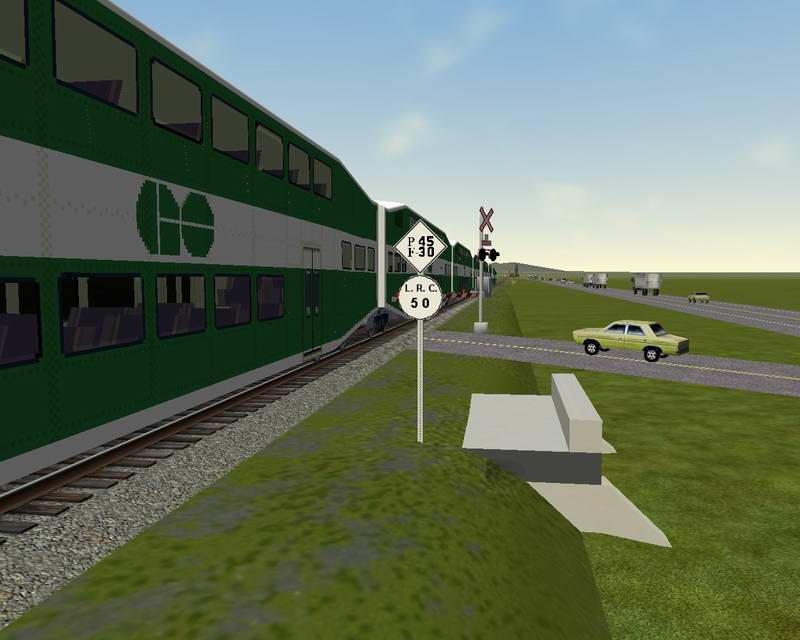
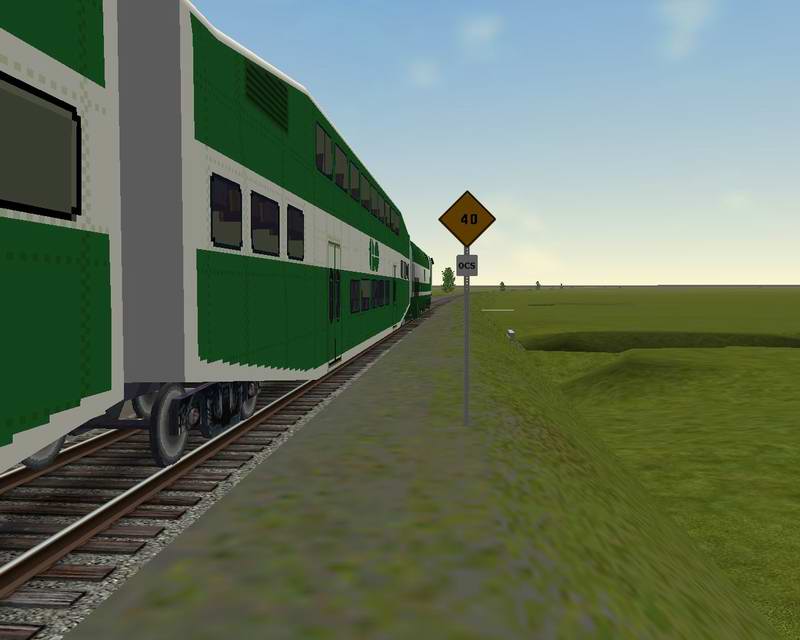
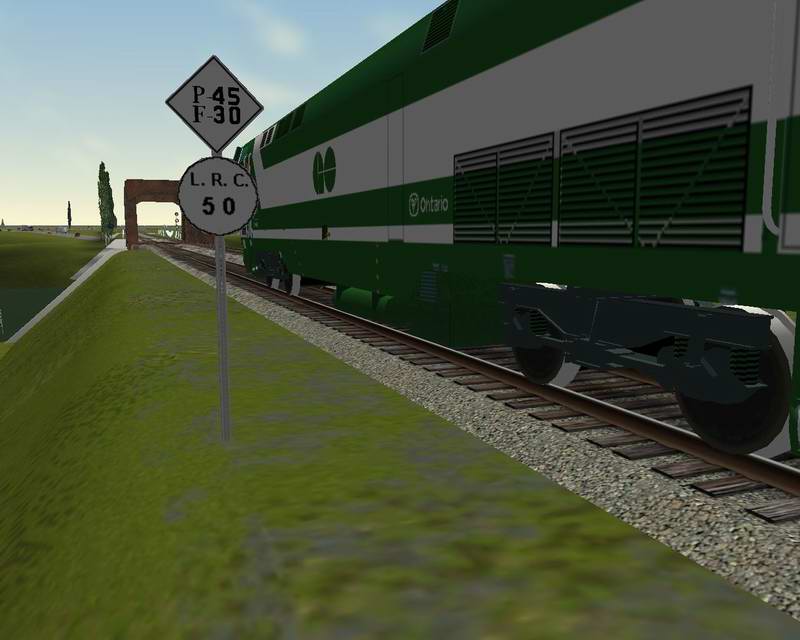
>I'm making CN speed limits sign...Here are some screenshots of those I made:Speed sign – image 1
Speed sign – image 2
Speed sign – image 3
Speed sign – image 4Robert
The_Genesis_ManNew Email: the_genesis_man@cgocable.caReleased soon:
- GO Genesis.Work in Progress:
- Quebec Xtracks & ScaleRail Berms.
- New Via Rail Passenger Cars
- Quebec Rail Route: Rail phase (Roads).Next Projects:
- Cabviews with CabSignal
- Genesis Amtrak Phase III Fading StripeSpeed sign – image 5

Alert | IP

Printer-friendly page | Edit | Reply | Reply With Quote | Top

Member since Aug-29-03 · 46 posts

RE: speed sign

That's what I'm tying to make and it doesn't work so I deleted it. Are you going add your speed post sign in the library files I realy could use them.

Alert | IP

Printer-friendly page | Edit | Reply | Reply With Quote | Top

Member since Jul-7-02 · 185 posts

RE: speed sign

>That's what I'm tying to make and it doesn't work so I
>deleted it.
Sad thing. >Are you going add your speed post sign in the
>library files I realy could use them.In some days as I am making some more speed signs:
Permanent and Reduce speed without the LRC Signs.N.B. You can put two speed limits on the signs: one for the Passenger and one different for the Freight.I am also creating some more Milepost signs as they are defined in the same speedpost.dat file.I will keep you informed. Robert
The_Genesis_Man

Alert | IP

Printer-friendly page | Edit | Reply | Reply With Quote | Top

Member since Aug-29-03 · 46 posts

RE: speed sign

It was CN in the 80's but they sold it to Quebec so now it's NBEC and CFMG Railway.

Alert | IP


[ Home | MSTS Forum | MSTS FAQ | How To... | File Library ] Copyright © 2004 by Nels Anderson. All Rights Reserved.

Restored from the Train-Sim.Com archive, captured November 22, 2004. About this archive.