Message Areas - "Don… "
Train-Sim.Com Message Areas
"Don...."
Email this topic to a friend
Printer-friendly version of this topic
Bookmark this topic (Registered users only)
Previous Topic | Next Topic Conferences MSTS Locomotive Design (Protected) Original message
Lone_Gunman_SG (106 posts)
Mar-20-02, 05:39 PM (EST) "Don...." What is it that I should do in order to have the ESE and the ESE repaint in union pacific colors at the same time?? Please explain in layman's terms.perhaps this will refresh your memory: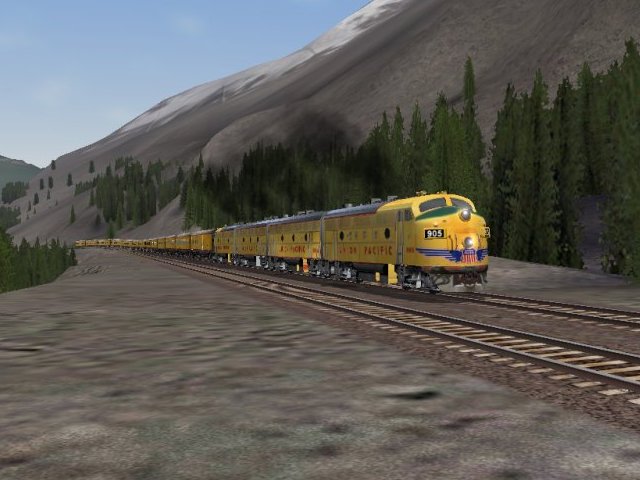 Alert Edit | Reply | Reply With Quote | Top
Table of Contents
Subject Author Message Date ID RE: Don.... captiandon Mar-20-02 1 RE: Don.... Alex Mar-20-02 2 RE: Don.... Lone_Gunman_SG Mar-22-02 3
Lobby | Topics | Previous Topic | Next Topic
Messages in this topic
captiandon (129 posts)
Mar-20-02, 09:23 PM (EST) 1. "RE: Don...." I am the Wrong person to ask that I have two copys of the ESE in wich I just trade them off back and forth depending what I am useing. one is in my Train Set Folder and the other in another folder so I just switch them off depending if I want to see the UP colors or the ESE Colors.... However I most of the time keep the UP colors in since UP is my favorite one anyway.
I tryed the other way and keep getting failed to load BS and just gave up on itDon Remove | Alert Edit | Reply | Reply With Quote | Top
Alex (500 posts)
Mar-20-02, 09:46 PM (EST) 2. "RE: Don...." rename the stuff:1. create the new folder and name it god knows what (mine is "ese_up").
2. copy the orig ese contents into the new folder and get rid of all files related to ese steamer or leave 'em there if you don't know what to get rid of, no big deal.
3. copy the new UP files into the same folder we're talking about.
4. rename all .wag, .s, and .sd files from "ese" to what ever the god know what you wish to rename it to (mine's ese_up....wag, ese_up....s and ese_up....sd
5. rename all the references within the .wag and .sd files from "ese" to what ever you named the files to (like ese_up)
6. Most important, the following two files are NOT to be renamed:
"eseobspass.s" and "eseobspass.sd", those two should be left as is, don't even breath on them kapishish?
Remove | Alert Edit | Reply | Reply With Quote | Top
Lone_Gunman_SG (106 posts)
Mar-22-02, 05:04 PM (EST) 3. "RE: Don...." LAST EDITED ON Mar-22-02 AT 05:30 PM (EST)So let me get this straight, i copy the .wags and the .sd's into the Eseup (my name for it) folder? What about this?
Sound ( "ESEWag1.sms" )
WagonShape ( ESEcoach.s )and the F7's are just the repaint files so i already know what to do Remove | Alert Edit | Reply | Reply With Quote | Top
Lock | Archive | Remove
Lobby | Topics | Previous Topic | Next Topic
Restored from the Train-Sim.Com archive, captured May 2, 2002. About this archive.