Train-Sim.Com
Microsoft Train Simulator

Long trains and video pains

Long trains and video pains – image 1

Notice to all visitors and members of the Train-Sim.Com message forums:
If you plan on using a signature banner in your posts, we would like to remind you that there is a maximum size for banners. That maximum is 450 pixels wide by 120 pixels high, and not to exceed 25k. Your compliance is appreciated. FORUM RULES Problems? There are two common reasons for problems with logging in and posting messages. The first is that you are running a firewall that prevents your messages from being sent to the server. The other is that you have cookies disabled; the DCForum software requires cookies to work properly.

Previous Topic | Next Topic

Printer-friendly copy Email this topic to a friend

Reading Topic #12866

Charter Member · 3509 posts

Long trains and video pains – image 2
Screwing around with the new big yard on PO&N6 to see how filling up every other yard track effected framerates, I finally decided to assemble the whole mess and drag it someplace. Turns out there were 133 cars and 4 engines in the yard, so that's what I got for a train. With AI traffic coming thru the crossovers in both directions every six minutes (hey, I'm worst-case scenario testing here ) it took about 2 hours to assemble everything on the center 4 tracks for departure.
Long trains and video pains – image 3
As I'm assembling the final 4 cuts I look to see where the head is, what happened to the scenery?
Long trains and video pains – image 4
Oh, THERE it is, even with 768 megs of PC-2100 DDR RAM and a GEFORCE 4 Ti-4400 128mb AGP video card, the way trainsim processes info it takes it a few seconds to load. Returning to the back view is even worse, the program is retaining the data in memory for all those cars in the middle of the train you can't even see, so it takes long enough to load the stuff behind that I was able to get a sequence of screenshots spanning almost a full minute.

Long trains and video pains – image 5Long trains and video pains – image 6Long trains and video pains – image 7Long trains and video pains – image 8Long trains and video pains – image 9Long trains and video pains – image 10Long trains and video pains – image 11Long trains and video pains – image 12Anyhoo, switching views from the front #2 view to the rear #3 view always produced that effect, so I guess 100+ car trains ain't a good idea. Had a few neat effects tho, going around loops and seeing the front and back of the train at the same time:Long trains and video pains – image 13
Long trains and video pains – image 14
Still pulling like hell crossing Tinkers Dam, the front of the train is over the summit and starting on the downhill into 77, but the back of the train is still on the upgrade from the double deck bridge. Wasn't til I was almost into 77 I cut the throttle and had to get on the dynamic brakes, and rode the brakes down the South Pass until I derailed at the bottom. Stupid me, I saved the activity in several places, but noticed I was missing an interlocking signal entering PonyShoe Curve, and added it in the route editor. That makes all save games invalid, so I gotta start again. Think I'll keep it down to 75 cars or so, see if that gives the same slow loading scenery.

Alert | IP

Printer-friendly page | Edit | Reply | Reply With Quote | Top

RE: Long trains and video pains, BNSF4723, Sep-30-02, 00:51 AM, (1) RE: Long trains and video pains, markhyams, Sep-30-02, 01:05 AM, (2) RE: Long trains and video pains, nw_fan, Sep-30-02, 07:39 AM, (3) RE: Long trains and video pains, LooseCannon17, Sep-30-02, 09:49 AM, (4) RE: Long trains and video pains, robertreedy, Sep-30-02, 10:04 AM, (5) RE: Long trains and video pains, sniper297, Sep-30-02, 01:42 PM, (6) RE: Long trains and video pains, OTTODAD, Sep-30-02, 02:36 PM, (7) RE: Long trains and video pains, KngtRider, Sep-30-02, 04:06 PM, (8) RE: Long trains and video pains, OTTODAD, Sep-30-02, 05:33 PM, (9) RE: Long trains and video pains, sniper297, Oct-01-02, 00:19 AM, (10) RE: Long trains and video pains, OTTODAD, Oct-01-02, 06:13 AM, (11) RE: Long trains and video pains, sniper297, Oct-01-02, 02:39 PM, (12) RE: Long trains and video pains, OTTODAD, Oct-01-02, 04:34 PM, (13) RAMDRIVE?, markhyams, Oct-01-02, 05:50 PM, (14) RE: Long trains and video pains, edwardk, Oct-01-02, 06:00 PM, (15) RE: Long trains and video pains, sniper297, Oct-01-02, 07:45 PM, (16) RE: Long trains and video pains, OTTODAD, Oct-01-02, 08:22 PM, (17)

Conferences | Topics | Previous Topic | Next Topic

Charter Member · 428 posts

RE: Long trains and video pains

Long trains and video pains – image 15

gee Sniper, I sure ain't gonna be drivin over any crossing's that trains going to go unless I'm ready for a helluva snooze! Great work on the yard btw!*~þHÃt*Rat~**~classic american playa~*
Long trains and video pains – image 16 Long trains and video pains – image 17 Long trains and video pains – image 18
Long trains and video pains – image 19
www.atlanticsystem.tk

Skinner #2 at Atlantic System

September 11th, 2001: I stand united! Peace to those who perished... R.I.P

Alert | IP

Printer-friendly page | Edit | Reply | Reply With Quote | Top

Charter Member · 79 posts

RE: Long trains and video pains

Nice research. I've been pulling 100 and 115 car trains on my Moffat Road route that I'm building, but it has virtually no scenery objects yet. Cabview is fine, but external views 2, 3, and 4 all are pretty jerky, at around 14-18 fps. However, it sure is challenging and fun to bring that loaded 100-car coal train down the 2% grade into Bond.For reference, I have a P4 1.7 GHz, 1024 Mb of PC-133 RAM, GeForce Ti4200 with 64 Mb, and a 7200 rpm hard drive.MarkMoffat Road Tabernash to Craig (52% of track laid)

Alert | IP

Printer-friendly page | Edit | Reply | Reply With Quote | Top

Charter Member · 640 posts

RE: Long trains and video pains

Long trains and video pains – image 20

Hey Sniper, I've been doing the same thing, with
AMD 1700
512 MB of DDR-333 2700RAM
Ti-500 video card.
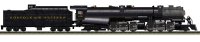
7200 RPM HDI have been using my 2-6-6-4 (doubleheaded) with 100 coal cars and no problems, but if I add 20 more cars problems start to arise. I get sound issues first.
The sounds begin to loop/repeat.
I haven't had any scenario where the video is nearly as bad as you describe. The worst scenario is a 1-3 second lapse when switching views, as you described. But 1 full minute? nothing even close. I suspect complexity of the route area is as much to blame as anything. I have the worst FPS and view-switch-redraw lapses on the Newark & New Jersey route. But I'm not complaining. It is worth it. I love that route. Even more than Sandpatch's scenery. And I'm really into Appalachian Mountain Railroading.
Long trains and video pains – image 21
NORFOLK & WESTERN
Precision TransportationMike Rector
mrector@columbus.rr.com

Alert | IP

Printer-friendly page | Edit | Reply | Reply With Quote | Top

Charter Member · 161 posts

RE: Long trains and video pains

Sniper,Here is one thing that may help with your plight here. Put a couple of your locomtives in the middle of the train, say 30-40 cars back, as remote controlled pushers.The reason that I say this, is that with Kicking Horse Pass I can have a train of around 100 cars (the same kind, mind you), with 3 detailed SD40's (all different road numbers), 30-35 cars, then 2 more SD40's in the middle as helpers, and can maintain, with everything cranked except draw distance and shadows a whole 4 FPS on my old girl.She's only good for 10-11 anyways, but try that and see what you get. I find that the more locos up front, the harder the computer has to work.P.S. I spec'd a work computer with your specs, and my new tower of power should be here today or tomorrow (thats right, a office computer set up to run Train Simulator. I love this job!!)Hope this helps.The RE made me crazy, crazy, crazy, you try typing messages with your tongue because the straightjacket won't let you use your hands.LC17Long trains and video pains – image 22

Alert | IP

Printer-friendly page | Edit | Reply | Reply With Quote | Top

Charter Member · 496 posts

RE: Long trains and video pains

Click to send message via ICQ

Sniper, I have a PIII 800 with 64mg card and 256 ram. Now you see why the ADFRR is scenicked like it is I would love to pack it and make it as 'real' as yours and a couple of the others, but I wouldn't be able to run it.On yours I can handle 30-40 cars with moderate AI before getting some of the above aberrations but I refuse to lower object settings so will just keep it as is. Your shadows settings you were talking about in another thread definitely make a difference.Thanks for the 'definitive route' for TS.

RobertR .. ADF-M&RM at http://www.adfrr.com

Alert | IP

Printer-friendly page | Edit | Reply | Reply With Quote | Top

Charter Member · 3509 posts

RE: Long trains and video pains

LAST EDITED ON Sep-30-02 AT 01:46 PM (EDT)

Hee-hee, wow, lotta reaction to this one. Yeah, I shoulda posted what I got;Tower case, 350 watt power supply
Three 80mm 12v case fans
Motherboard: ASUS A7A-266
Processor: AMD Palimino XP1600+
Memory: 768MB PC-2100 DDR RAM
Video: NVIDIA GeForce 4 Ti-4400 128MB AGP (detonator 30.82)
Hard disk: WD Caviar Ultra ATA-100 7200rpm 80 gig hd 8mb buffer
Sound: Creative SB 512 PCI
OS: Windows 98 Second Edition, build 2222, DX 8.1
Monitor: Gateway2000 Vivitron 17"My son's specs;
Tower case, 300 watt power supply
Motherboard: ASUS A7V
Processor: AMD Thunderbird 800MHZ
Memory: 384 MB PC133 SDRAM
Video: Creative 3D Blaster Annihilator 2 64MB AGP (Detonator 21.81)
Hard disk: WD Caviar ATA-66 5400rpm 30 gig hd
Sound: Creative Ensoniq Audio PCI
OS: Windows 98 Second Edition, build 2222, DX 8.1
Monitor: Gateway2000 CrystalScan 1776LE 17"It's hard to get a reading on PO&N5 on my son's computer, I bought both monitors refurbished from a used computer parts dealer, but when I set Mike's MSTS to 1024x768x32, he always resets it to 640x480x16, seems to prefer that resolution for some reason (Mike is autistic, and consequently often doesn't know why he does things, or how to explain it.). His desktop is at 1024x768x32, since he needs that for the editors, so he don't change that. He usually don't play my activities anyway, he makes his own where the objective is to crash Thomas the Tank Engine into an AI train, and the trains are usually short ones. Sometimes electric trains, don't ask how he electrified PO&N5 cuz I don't have a clue.
On my system tho, I've had slow jerky framerates when I push the limits, but this was the first time on any system I've seen that slow redraw thing! Of course this is also the first time I've gone over 100 cars, and I'm sure that's the cause.
Long trains and video pains – image 23
Long trains and video pains – image 24
With the shadows disabled and everything else cranked to max I get 15-20FPS with some mild stuttering in the yard, and all 130 cars from the previous pics are here, plus a 2xDash 9-37 oilcar AI traffic train passing thru. I think the problem has to do with distance, if the camera viewpoint is moved 2000 meters or so away (how long is a 133 car 4 engine consist in meters, anyway?!), it unloads the previous objects and loads the new ones. Why it would do that with 768 megs of RAM is probably due to poor programming more than anything else, the entire route and the Windows OS and all the MSTS program kernels plus the trainset folder and the kitchen sink don't take up 768 megs, so it's just swapping for the sake of swapping.
Here's another odd one, first time I ran across this;Long trains and video pains – image 25
In the process of assembling another train, all of a sudden the default US2chemicars wouldn't couple with each other. After several attempts to make them couple, I saved, exited, reloaded, and the couplers worked after that.Long trains and video pains – image 26I'd still prefer MSTS 2 to be totally incompatible with this version, even if we all have to make everything all over again from scratch it will be worth it to be rid of this Krappy KUJU Klown Koding.

Alert | IP

Printer-friendly page | Edit | Reply | Reply With Quote | Top

Charter Member · 1075 posts

RE: Long trains and video pains

>I'd still prefer MSTS 2 to be totally incompatible with this
>version, even if we all have to make everything all over
>again from scratch it will be worth it to be rid of this
>Krappy KUJU Klown Koding. Jim, my dying ambition is to see your Route and Teemu's coded for DirectX-9 as will be MSTS, assisted by a DirectX-9 capable Power Card like the ATI RADEON 9700 and TV-Output piped to a 46"+ Digital Plasma Flat Screen TV ! MICROSOFT being the owners of DirectX, can you see their Sims and Games not being re-designed to take advantage of Version 9 ? If not, it would be more work making them backward compatible than starting from scratch ?The latter may not be so difficult with FS2002 and more recent 3D-Games ?

Alert | IP

Printer-friendly page | Edit | Reply | Reply With Quote | Top

Charter Member · 1075 posts

RE: Long trains and video pains

I don't think it's going to be the number of bits per colour channel DirectX-9 will provide nor the number of available colours, millions, which will make much difference to MSTS, but better handling of Graphics in general will ?

But yes, I would buy them new cards ! This would be a perfect way to repay them both for the enourmous amount of pleasure I get using their ROUTES, giving them the opportunity to view their excellent work at it's best too !ARE YOU READING THIS JIM and TEEMU ! You can take me up on that after I get your DirectX-9 amd MSTS-2 updated Routes !

Alert | IP

Printer-friendly page | Edit | Reply | Reply With Quote | Top

Charter Member · 3509 posts

RE: Long trains and video pains

HA! Will the upstart ATI do to Nvidia what Nvidia did to 3Dfx? Or will Nvidia bounce back stronger than ever? Stay tuned, the game goes into sudden-death overtime!
Hee-hee, seriously, I wouldn't count too much on DirectX 9 being the answer, as many years as the Microstiffs have had to work on DirectX, the oldest versions of OpenGL and GLIDE still beat the hell out of DirectDraw. Not that trainsim couldn't be better even with directdraw, download 3DMark2001SE from www.madonion.com and see what your graphics card is actually capable of.Well, further experiments, even with only 46 cars total connected, I still get a minor delay in the redraw going from the back of the train to the front;Long trains and video pains – image 27
Long trains and video pains – image 28
I had to be quick to catch it, and it's only when switching from the #3 view at the far end to the cabview. Looking at that section in the route editor;Long trains and video pains – image 29
Sure enough it's at a quad tile boundary. This may take a little explaining for those not familiar with the RE, with the exception of a few specialty sections, all curved track curves to the left. To make it curve to the right after placing it you have to hit the T key to flip it end-for-end. This section here curves to the right, but if you look at it from the other end it's curving left, so the base (anchor point) for the track sections missing in shot #2 are beyond the blue line defining the quad tile boundary. That pretty much confirms the commonly accepted theory that the circle of visibility from the camera view center crossing a tile boundary is what triggers it to load everything on that quad. In this case I was at, and looking (west) toward, the other end of the quad that the train is in, and suddenly switching to the other end I caught it loading the objects on the quad I'm now looking at to the east. All the trees and bushes are part of forest regions that have their center markers on this quad, so they were already loaded, as were all the track sections and signals that had their anchor points in this \World\~.w file rather than the next one. I'm placing a bunch of sheds on the tile borders down that line for further experimenting, so we'll see. Gonna have to measure one of these trains, or at least guesstimate how many cars equals 2200 meters.

Alert | IP

Printer-friendly page | Edit | Reply | Reply With Quote | Top

Charter Member · 1075 posts

RE: Long trains and video pains

This is really a "Futuristic" question, Jim.How much RAM would be necessary to load all of a route like your's into it and run it from there without MSTS having to do any more Data Fetching, building scenes chunk by chunk ? One day we will be able to afford the amount of RAM some Processors and Chipsets are already capable of supporting ?

Alert | IP

Printer-friendly page | Edit | Reply | Reply With Quote | Top

Charter Member · 3509 posts

RE: Long trains and video pains

That's already here, it's just a question of using it properly. Looking at my trainsim folder, it totals 4.14GB, with 2.65GB in the \Routes folder and 1.17GB in the \Trains folder. Looking at the root files in the trainsim folder, plus the fonts, global, GUI, and sound folders, adds up to 180 megs. PO&N when processed by Route Riter is less than 150 megs. I have my system.ini hacked (necessary with Win98SE) for the page file cache, and my AGP aperture set to 256mb, so when I boot and windows is loaded I have around 550 megs free according to MaxMem's monitor. 180+150=330 megs, leaving 220 megs for engines & cars if the entire route were loaded at once, tiles, world files, shapes, textures, and all. Trouble is it don't do that, when you start trainsim it goes thru the route folder and the trains folder and loads practically every reference file it can find, which is why you get "failed to read line 799 obscure_loco.eng" on startup. The activity in a route you weren't planning to run calls for a .con file you don't have which looks for an engine you never downloaded, and once you get all that sorted out it finds a corrupt or mismatched track database in one of the installed routes that you never use, send error message to Microsoft.
I still haven't figured out what all it loads, but after reading your last I decided to check it out with maxmem.
Explorer, Systray, Saitek Joystick software, Maxmem loaded, 544meg free.
Start trainsim, ALT-TAB to check MaxMem monitor, 500meg free.
Start PO&N6 test activity in big yard with 133 cars, 4 engines, 437meg free.
Assemble 87 car 3 engine train, 429meg free.
After driving around the route for a while, 404meg free.Now supposedly this thing will run with only 32 megs of system RAM total, so if I have 400 megs of free RAM what in the world is it saving it for?! And in spite of the "conservative swap file usage = 1" line I added to my system.ini, it IS still swapping files out of memory, cuz when I get that redraw, I can switch from the back of the train to the front, redraw, switch back & forth again, redraw again, repeat as often as desired. Trees & track missing from the front window, it loads them, switch to the back of the train view and it unloads them every time - and with 400 megs of free RAM it's unloading them for no good reason. And it ain't the Ti-4400 either, not with 128 megs of video RAM. Sloppy programming, plain and simple. Hell, 3 or 4 quad tiles full of objects wouldn't even fill up the video RAM, it's just total brainless clumsy coding. Be nice if Microstiff would send it over to ID Software so they could rewrite the whole mess for the Quake3 engine, then maybe I could do some halfway decent scenery.

Attachments
Long trains and video pains – image 30
http://www.train-sim.com/dcforum/User_files/3d99ebb4346db210.jpg
Long trains and video pains – image 31
http://www.train-sim.com/dcforum/User_files/3d99ebc1348d1616.jpg

Alert | IP

Printer-friendly page | Edit | Reply | Reply With Quote | Top

Charter Member · 1075 posts

RE: Long trains and video pains

Having MSTS already installed the normal way, would it be another solution to re-install a basic MSTS into a RAMDRIVE for the Registry to record that new Ramdrive Letter ? How much RAM would that require, with some to spare ? Backing up both versions of the Registry for re-use of either Install version.Before running MSTS the next time, copy the basic MSTS into the Ramdrive, leaving out all Routes not required and just copy the one Route's Files to be run. Will take a while but worth the wait ! That should speed up MSTS's Graphics processing by a factor of what, running in fast DDR SDRAM ?I would not mind having a go at that using this version of MSTS.

Alert | IP

Printer-friendly page | Edit | Reply | Reply With Quote | Top

Charter Member · 79 posts

RAMDRIVE?

This sounds like a pretty slick idea. How would one go about doing it? Would you have to create a RAM drive everytime you turned on your computer, and then install MSTS everytime as well? You may well have hit on something. I have a Gig of RAM, and MSTS totally fails to utilize most of it.Mark

Alert | IP

Printer-friendly page | Edit | Reply | Reply With Quote | Top

Charter Member · 95 posts

RE: Long trains and video pains

LAST EDITED ON Oct-01-02 AT 06:01 PM (EDT)

Sniper,I do recall one of Jim Stevens last post that mentioned about rewriting MTS and using dynamic linking library files (.dll). We will just have to wait and see what MTS2 has to offer when it comes out. Edward K.

Alert | IP

Printer-friendly page | Edit | Reply | Reply With Quote | Top

Charter Member · 3509 posts

RE: Long trains and video pains

Hee-hee, well, being an old DOS Dinosaur there's a lot of this GUI windows stuff I still haven't figured out yet, such as how to create a RAMdrive in Win98SE. I did go to ZDnet and download a couple of those shareware RAMdrive programs to try out, had to restore the system registry afterwards. Good thing I don't trust anyone!
I also don't know how any of this relates to my new WD hard drive with the 8mb hardware buffer, I can't even tell if Windows is using it correctly or not. My son's computer has the ASUS A7V mobo with the VIAtech KT-133 chipset, and until the Promise ATA-100 IDE controller driver was installed, Win98 treated a 7200rpm Ultra ATA-100 HD like it was a plain old everyday ATA-66 drive. (Mister windows hardware "Wizard" didn't think there was anything wrong with that, "this device is working properly" even if it moves data at the same speed as an old 8 bit ISA expansion card, as long as it works it don't really care about actual performance. Not much of a "wizard" if you ask me.) The device manager just reports it as a "disk drive", altho under hard disk controllers it does show the ALi M5229 PCI Bus Master IDE Controller (I have an ASUS A7A-266 with the ALi MagiK chipset). I kinda wonder if the usual Windows software read-ahead buffer isn't getting in the way and slowing down the hardware buffer, gotta try disabling that next.Anyway, Edward probably has the best idea, pray for MSTS2 with better programming. Assuming you could create a RAMdrive, copy the relevant portions of the trainsim folder into it, and get it to actually run without errors, it would probably be a lot smoother, but. There's always a "but", the coding ain't even close to being efficient, so it would still be jerky.

Alert | IP

Printer-friendly page | Edit | Reply | Reply With Quote | Top

Charter Member · 1075 posts

RE: Long trains and video pains

Jim, started a new Thread on the subject of RAMDRIVES.VERY INTERESTING !!!

Alert | IP


[ Home | MSTS Forum | MSTS FAQ | File Library ] Copyright © 2002 by Nels Anderson. All Rights Reserved.

Restored from the Train-Sim.Com archive, captured October 28, 2002. About this archive.