Notice to all visitors and members of the Train-Sim.Com message forums: If you plan on using a signature banner in your posts, we would like to remind you that there is a maximum size for banners. That maximum is 450 pixels wide by 120 pixels high, and not to exceed 25k. Your compliance is appreciated. FORUM RULES Problems? There are two common reasons for problems with logging in and posting messages. The first is that you are running a firewall that prevents your messages from being sent to the server. The other is that you have cookies disabled; the DCForum software requires cookies to work properly.
I see that the way that trains are setup in the new BVE 4 beta is different, if you look at 113_6 train that comes with the updated Uchibo route you will see what I mean. Extra sounds are now used and the sounds are configured in a sound.cfg file. Also there is an ATS.cfg file, I wonder if AWS could be possible in a sort of way with this new version.-- Jason M
Oddly enough i'm currently having trouble running trains with fullscreen cab setups... If i want to use a train with one of these, i have to cut it down to half size because otherwise the cab comes up but the controls are all mucked up and the blue does not go transparent :S
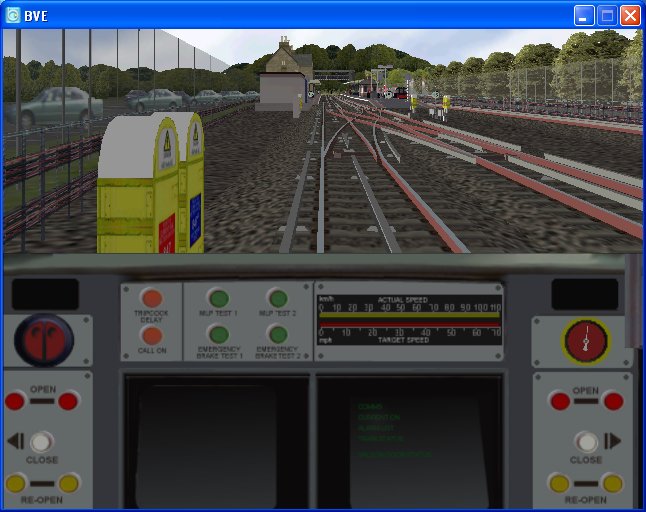
I've spent some time deciphering the new train format. As far as I can see full screen cabs built in the new format with transparent windscreens are not supported at the moment I did a quick conversion of a couple of trains, 170, 323 and the 1995 tube stock to allow use of the light/dark panels and clicking power/brake lever sounds. I had to cut off the windscreens to get around the lack of transparency. The Northern Line works nicely with the .Brightness command, giving a nice lit up panel as you drive through the tunnel sections, The downside being that the ATS is confused, like most routes - and treats all our AWS and LU Tripcocks like ATC. Despite trying a few things out I've so far been unable to re-replicate these features using the new .Beacon (used to be .Tr) commands as transponder magnets.It looks like we need someone with some programming knowledge to write a AWS compliant ATS plug-in.Cheers Steve www.trainsimcentral.co.uk www.bvetrains.co.uk
>Oddly enough i'm currently having trouble running trains >with fullscreen cab setups... If i want to use a train with >one of these, i have to cut it down to half size because >otherwise the cab comes up but the controls are all mucked >up and the blue does not go transparent :S Hi dvstr,I have managed to get the controls to be transparent, but not the windscreen. The bmp files for the controls/gauges etc now have to be to the dimensions of 8,16,32,64,128,256,512. I did this by taking the section of cab required and pasting it to a 512x512 blue background. I'll hopefully upload one of the converted trains a bit later for you to see. Cheers Steve www.trainsimcentral.co.uk www.bvetrains.co.uk
Sorry! Me again. Can you tell my computer has been fixed? Just uploaded two zip files for the converted Class 170 and 1995 stock so that you can see how to convert trains over. Hopefully the mini-me cabs will be temporary if Mr Mackoy can fix the problems with full height cabs.Both zips should contain all of the bits to make the trains work, except for most of the sound files. You'll need to copy all the wav. files from the existing trains.The 1995 stock contains a modified Northern Line route file to test out the lighting - suggest you drag that to your Northern Line folder first.Unless you fancy modifying a route for the 170, you can test it with Uchibo, just edit the train bit in the route to read Cl170_bve4beta.I'm going to see if I can get time to write out a panel2.cfg guide this week, but if anyone has any questions then post here.http://www.trainsimcentral.co.uk/misc/temp/LT1995_BVE4BETA.ziphttp://www.trainsimcentral.co.uk/misc/temp/cl170_BVE4BETA.zipCheers Steve www.trainsimcentral.co.uk www.bvetrains.co.uk