Notice to all visitors and members of the Train-Sim.Com message forums: If you plan on using a signature banner in your posts, we would like to remind you that there is a maximum size for banners. That maximum is 450 pixels wide by 120 pixels high, and not to exceed 25k. Your compliance is appreciated. FORUM RULES Problems? There are two common reasons for problems with logging in and posting messages. The first is that you are running a firewall that prevents your messages from being sent to the server. The other is that you have cookies disabled; the DCForum software requires cookies to work properly.
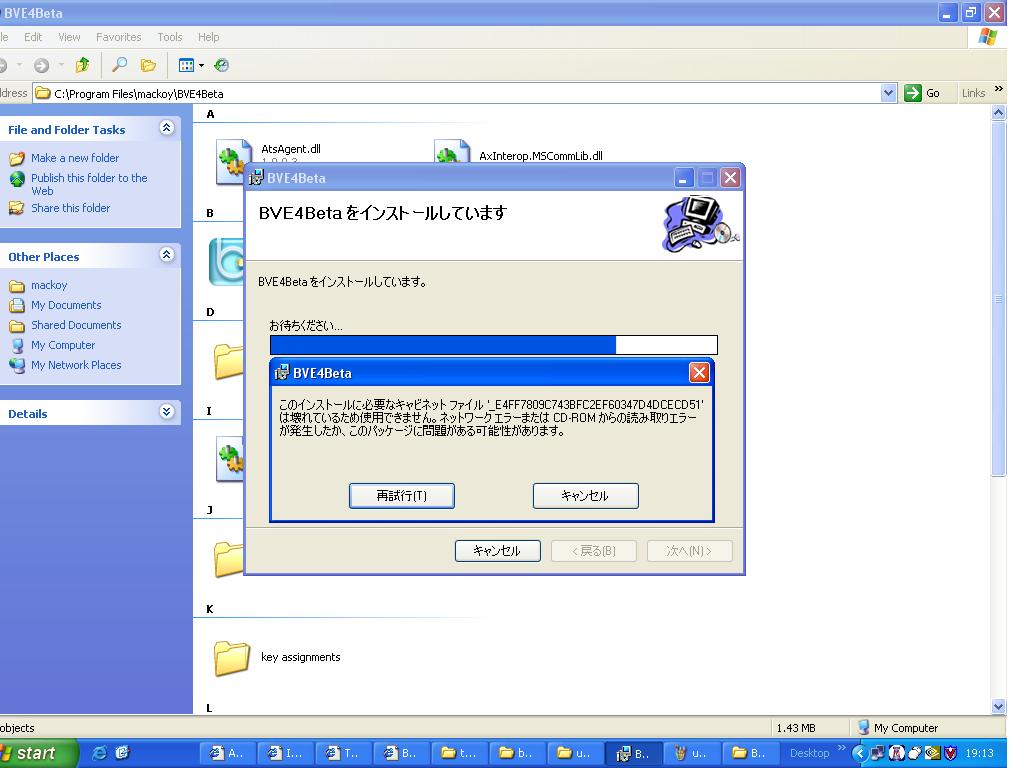
Hi. I cannot install bve4. Can anybody help. I have downloaded the installer and when I run it it will install to the correct file C:\Program Files\mackoy\BVE4Beta and I then get a menu on the screen. I then have 2 choices. When I press the left button (T) the message in Japenese just repeats and when I press the other button BVE 4 uninstalls itself. Any ideas ?
Hi Anglia Trains. Thanks for your reply. I installed .NET a while ago for editvoicepack which is an add on for flightsim 2002/2004. I will see if there is a newer version of .NET and see what happens. Mick.