Notice to all visitors and members of the Train-Sim.Com message forums: If you plan on using a signature banner in your posts, we would like to remind you that there is a maximum size for banners. That maximum is 450 pixels wide by 120 pixels high, and not to exceed 25k. Your compliance is appreciated. FORUM RULES Problems? There are two common reasons for problems with logging in and posting messages. The first is that you are running a firewall that prevents your messages from being sent to the server. The other is that you have cookies disabled; the DCForum software requires cookies to work properly.
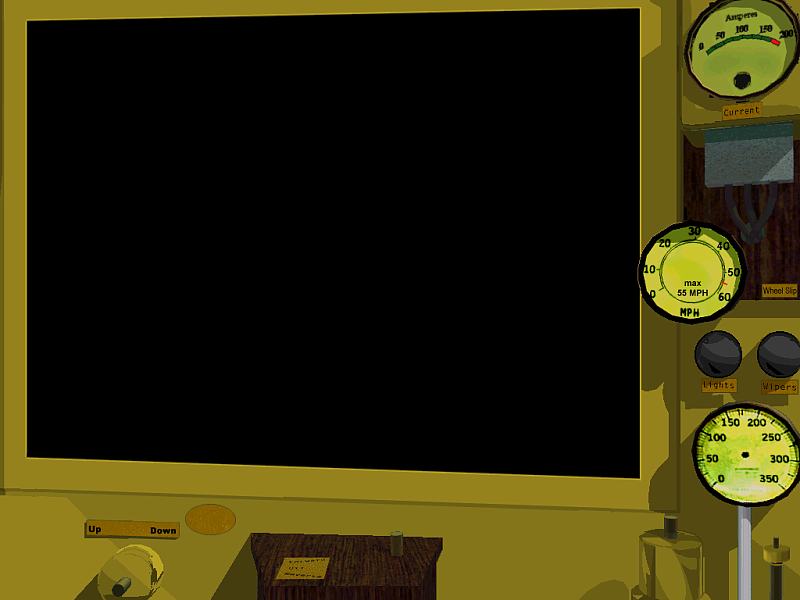
Good evening to you all,I've been thinking a while already: pitty we can't get some variety by having the individual roadnumber of the engine we're driving visible somewhere in the cab. While I was at repainting some traction equipment lately, the idea still turned and turned in the back of my head. While I did a custom repaint for the cab, with the kind approval of its original author, Wayne Campbell (London & Port Stanley No.2), I first tried to finally fulfill my wish by doing an individual front.ace for each one of the motor cars I wanted to include in my package. Needless to say, with two resolutions, i.e. a file of 1024 and one of 800 pixels width, 8 different roadnumbers would have added a lot of unnecessary KB to my download - eight times 300kB, to be exact.After having edited the .cvf file for the inclusion of a wheel slip control light and the sander (both not included in Wayne's original cab), not only the wheel slip light lit up, but also the proverbial lightbulb of an idea dawning on the horizon.Why, for the sake of it, not go the quick and dirty way of including the roadnumber with one of the graphics files of the animated controls? I searched the fora, and didn't find any hint that somebody had already done it this way. Ând I didn't find anything preventing me from trying...This is where I started: I redid one new front.ace for all the cars, removing the roadnumber, just leaving an empty brass plate where I wanted the different numbers to go: The number would be going near the Reverser lever, actually the place I always had intended it to be, give or take an inch.So I set out to modify the graphics for the reverser. Here's the unchanged, original file first: Enlarging the image by 10 pixels, I made room for the number along its upper edge, and copied some of the brass texture in where I wanted the number to go (the small yellowish square above the lever). Then the individual numbers could be stenciled into eight differently numbered versions of the new reverser, here with No.6 / ReverserNo6.ace as example:Anything but the lever and the number is actually alphaed out, as you can see in this shot of the alpha channel of the same reverser graphic: As the graphics for the reverser is now 10 pixels higher, but otherwise unchanged (provided I worked carefully enough) all I had to do was to edit the respective cabview line in the .cvf file for each of the eight motor units, and amend it with regard to the matching ReverserNox.ace each road number calls for, and also to place those graphics 10 pixels higher than with the default reverser.ace. The result looks as follows: I agree, the number looks slightly more blurred than if it were part of the background graphic, i.e. front.ace. On the other hand, just doing eight different ReverserNox.ace's of 12Kb each saves an awful lot of space in the download, making it 2.3mB lighter, and still gives all eight motor cars in the download an "own" cab.What do you guys think of the "quick and dirty" approach? Any flaw / concern i didn't take into consideration? Or anyone's copyright I unvoluntarily stepped onto?Lukas a.k.a Swissie Updated for late night typos and clarity
Hi,Your method works but there may be a slightly better way to do it. There is no need to add the number to the reverser graphic. Cab graphics can overlay each other, and will be drawn on the cab background in the order specified in the .cvf file. Therefore you could just have a dedicated non-alpha'd graphic for the number (number.ace), specified in the .cvf as a moving indicator (speedometer display) with infinite range, i.e. zero travel, so it stays put in the same spot no matter what your speed may be. You place this before your reverser in the .cvf file and it will be drawn correctly.An additional benefit of this approach is that you can use the Area() statement to use full 1024x768 or higher resolution for the display graphic, rather than the chunky 640x480. You can get a working example of this in the scrolling speedometer in the TGV Duplex cab, which has dummy displays used to hide what's underneath.Original credit for this method goes to Joe Realmuto.cheers
Thank you Clem,for pointing out this alternative. Actually, a first prototype of the cab worked in a way closer to your solution, but I discarded it for two reasons, prefering the attaching of the number to an already existent graphic of a working cab control.The first graphic was just called No1.ace, basically the number plate with number on it, placed inbetween the pantograph lever and the reverser in the same cab as above. To trick MSTS to display it, I added an additional indicator to the .cvf, naturally one that was not used in the cab yet. So I attached the graphic for the number plate to a two-state display for the bell, with both indications being identical, and mouse control turned off.When using the cab, the disadvantage of this solution struck me: Every time I got near the number plate with the mouse, I got the dialogue window for the bell - which is plain wrong & misleading, to be honest. There is no defined MSTS display yet for indicating the road number that would also give me & third party users the correct dialogue, although it might be possible to define it in the global settings. I could personally live with a wrong indication - but I'd consider it a black spot on an otherwise "ok" record even myself. But under any circumstances I decided against offering the cab for download with a faulty dialogue. The reason is simple: As the author, I do know why the bell dialogue lights when I get near the number. Any average user downloading the cab and running the cars doesn't know the reason, and would come to one of the following two conclusions, both of which I don't like: He either thinks I did a sloppy job, messing up some file for the cabview, or even worse he tries to click the reverser nearby thinking it is the bell, wondering afterwards why the controls don't work properly, and why I did such a sloppy job. Ouch. So my lesson learned from the prototype: Why try to fool MSTS by including a dummy display when I could achieve the same - if not a better - result by adding the number to a properly working, correctly named display without the average user ever noticing the trick? In my humble opinion, three points speak in favour of the second solution - The number is there, - while the area in which I can access the reverser with the mouse is just a little bit larger than it would need to be (most users will not even notice), - and the user gets prompted with the correct cab dialogue. On the other hand, as you stated correctly, there is the chunkyness of the displayed number, which could be cured to some extent by designing a number plate that allows for a lettering that is perhabps 1.25 or 1.5 times the size of the current one. That could, for example, be well the case for a number that is not on a tiny brass plate, but stenciled onto a wall of the cab.Lukas a.k.a Swissie


 Anything but the lever and the number is actually alphaed out, as you can see in this shot of the alpha channel of the same reverser graphic:



