Notice to all visitors and members of the Train-Sim.Com message forums: If you plan on using a signature banner in your posts, we would like to remind you that there is a maximum size for banners. That maximum is 450 pixels wide by 120 pixels high, and not to exceed 25k. Your compliance is appreciated. FORUM RULES Problems? There are two common reasons for problems with logging in and posting messages. The first is that you are running a firewall that prevents your messages from being sent to the server. The other is that you have cookies disabled; the DCForum software requires cookies to work properly.
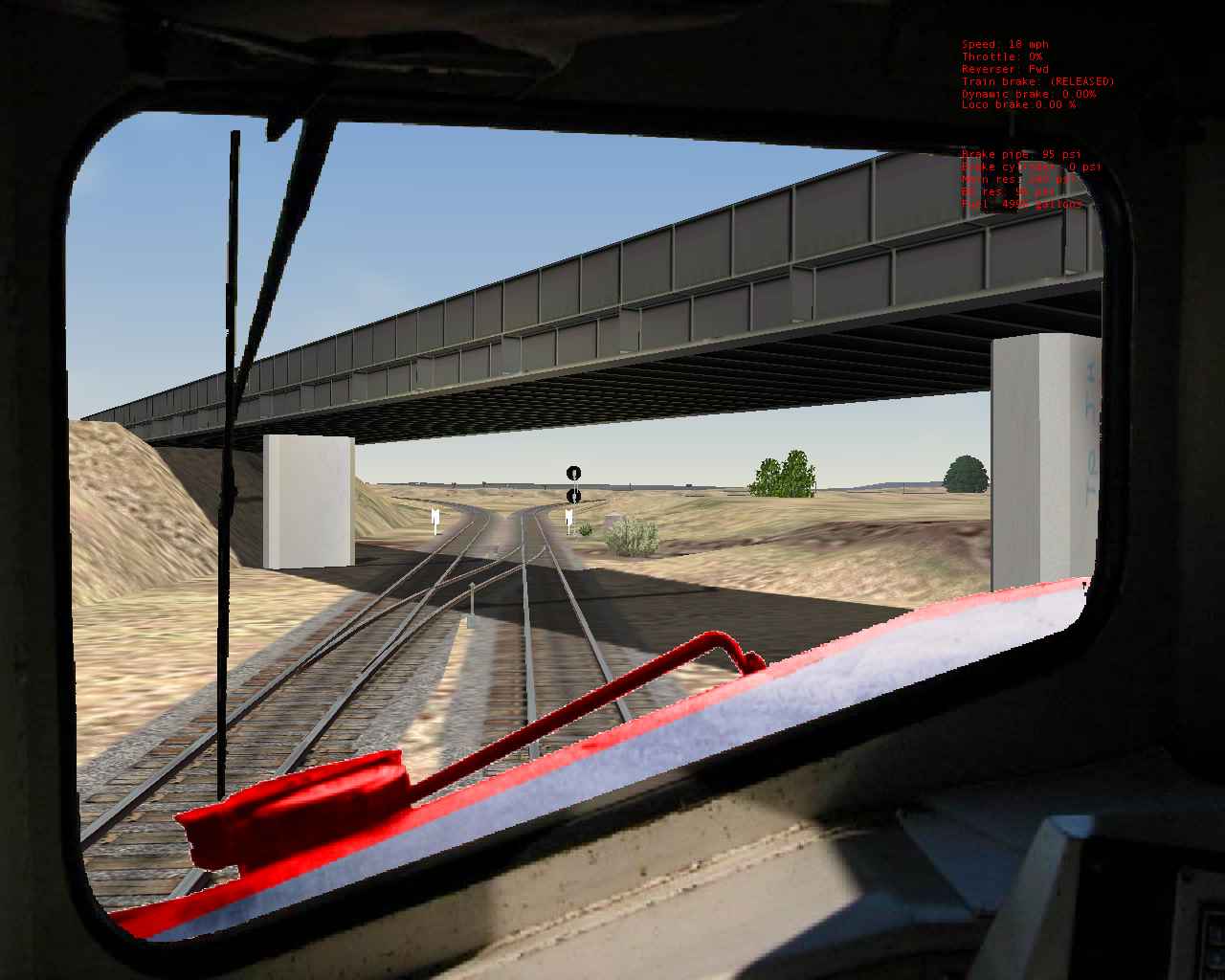
I've been rediscovering the joys of Canadian Freight operations with the newest activity pack for the Kicking Horse Pass... Looking forward to V2 Anyhow , I really liked the conductor view using an alternate .ace for the left view .. (condview.zip in the trainsim files) , Since this works for Dash 9's and the cab is used for some of the new Canadian Pacific Units Featured in the activities in the pack I decided to paint the nose! Here are a couple of shots.. I found tga tool2 a breeze to do this job .
RE: A CPcolored nose for dash 9 cabview some piccys, cn_bayview, Mar-14-03, 09:06 PM, (1) RE: A CPcolored nose for dash 9 cabview some piccys, TrainTrak5000, Mar-15-03, 05:10 PM, (2) RE: A CPcolored nose for dash 9 cabview some piccys, jvizoso, Mar-15-03, 08:05 PM, (3) RE: A CPcolored nose for dash 9 cabview some piccys, jvizoso, Mar-15-03, 10:15 PM, (4) RE: A CPcolored nose for dash 9 cabview some piccys, Christine, Mar-18-03, 09:10 AM, (5) RE: A CPcolored nose for dash 9 cabview some piccys, jvizoso, Mar-19-03, 04:57 PM, (6)
RE: A CPcolored nose for dash 9 cabview some piccys
This is the real ac4400 nose.. from those cab photo's just a couple of threads down. Just trying to get it to 'sit right' beyond the window. I post the piccy , how do I lose the white 'edges', it must be something to do with either expanding or feathering the alpha layer? I'm sure it's a psp 101 type question. jv
RE: A CPcolored nose for dash 9 cabview some piccys
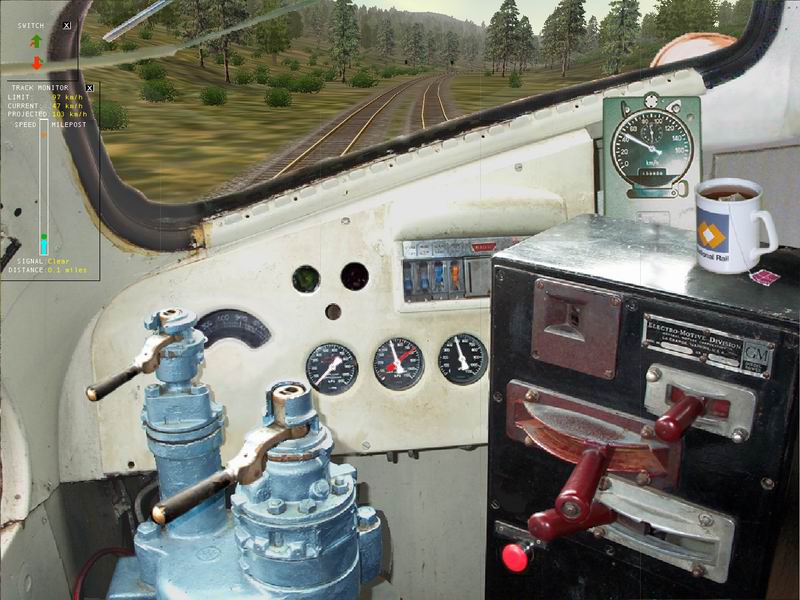
Hi,> how do I lose the white >'edges', it must be something to do with either expanding or >feathering the alpha layer? I'm sure it's a psp 101 type >question. > jv Yep it sure is.I had to fiddle with the Ant-alias and feather settings in Photoshop to get the cab I did just right. I also used the Blur tool to soften the lines between the cab and the alpha layer to reduce the jagger's. Using 1024 x 768 resolution also helped the jagger's.Here is a pic of my effort.Regards Christine.
RE: A CPcolored nose for dash 9 cabview some piccys
Nice cab.. hehe, a driver who likes tea I see . Well , I've been having a look at how other people do windows too, they seem to like the window area grey or dark, which would cut out the white edges ... thnx for the tips christine. jv